- Understanding UPI Payments for GST Compliance
- Setting Up Khata Billing for UPI Transactions
- Real-World Example: Calculating GST on a UPI Sale
- UPI Payment Workflow Steps
- UPI vs Manual Billing Methods
- Integrating UPI with Inventory and POS
- Optimizing GST Reporting with UPI Data
- Frequently Asked Questions
UPI payments are the fastest way for small businesses to accept GST-compliant payments today and Khata Billing makes it simple to record every transaction accurately. The platform automatically links UPI collections to GST invoicing and inventory updates. Businesses can track real-time sales data for e-filing without manual entry.
With Khata Billing, small shops, retailers, and service providers integrate UPI payments directly into their GST-compliant invoicing system. This connection ensures accurate tax reporting while accepting digital payments at the point of sale. The free plan covers 10 invoices per day, up to 100 in any 30-day period, while Premium offers unlimited invoicing with full GST features.
✅ Key Takeaways
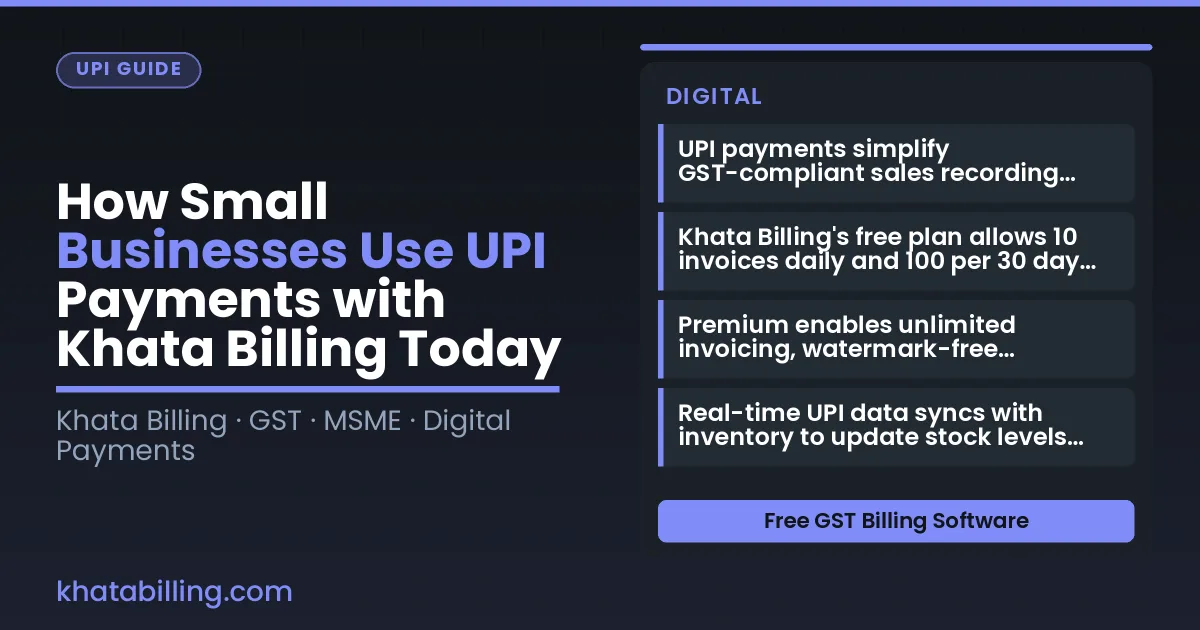
- UPI payments simplify GST-compliant sales recording through automatic invoice generation.
- Khata Billing's free plan allows 10 invoices daily and 100 per 30 days without cost.
- Premium enables unlimited invoicing, watermark-free invoices, and full GST report generation.
- Real-time UPI data syncs with inventory to update stock levels automatically.
- Staff role permissions in Premium control UPI transaction access securely.
- Manual billing methods risk errors and delays compared to automated UPI workflows.
- Integrating UPI with Khata Billing improves GST reporting accuracy for GSTR-1 filings.
Understanding UPI Payments for GST Compliance
UPI payments are digital transfers between bank accounts using a unique virtual address, enabling instant settlement in INR without physical cash or card swipes, and they align directly with GST law by creating an auditable electronic trail that matches the e-invoice requirements under Section 4 of the GST Act, making reconciliation for small businesses faster and error-free.
When a shopkeeper accepts a UPI payment from a customer, the transaction generates a UPI reference number that Khata Billing automatically links to the corresponding GST invoice, so the sales value, tax amount (CGST, SGST or IGST), and customer GSTIN are recorded in real time, eliminating manual entry errors and ensuring that every sale appears correctly in GSTR-1 filings — a process that previously consumed hours of accounting time.
For example, a retailer selling a ₹500 item with 18% GST receives ₹590 via UPI, and Khata Billing records the ₹500 net value and ₹90 tax component, auto-populating the invoice with the correct HSN code and syncing the data to the seller's GSTR-1 return, which simplifies compliance and reduces the risk of mismatched figures during tax audits.
This seamless integration means small business owners spend less time on paperwork and more time on serving customers, while the transparent digital record supports input tax credit claims and maintains audit-ready documentation, all within the secure environment of Khata Billing — free GST billing software>.
Setting Up Khata Billing for UPI Transactions
To enable UPI payments in Khata Billing, start by opening the Settings menu and selecting Payment Methods. Choose UPI as your mode, then tap Link Bank Account to connect your business bank account using your 9‑digit IFSC and your Account Number. After verification, set the UPI ID (e.g., yourshop@upi) and enable the Auto‑Collect toggle for seamless checkout. Customers can now scan your QR code or enter your UPI ID at the billing counter, and the payment will flow directly into your linked account. The process mirrors what happens at a typical Delhi street shop: the shopkeeper displays a printed QR on the counter, the buyer opens their UPI app, enters the amount (say ₹150 for two packets of biscuits at 5 % GST each), and confirms the transaction. The invoice updates instantly, showing the correct GST amount, and the sales total reflects in your dashboard. For a 30‑day period, the free plan allows up to 100 invoices, so a small retailer handling 30 daily sales stays well within limits. Khata Billing blog offers step‑by‑step videos that walk you through each screen, ensuring you never miss a setting. With UPI linked, your POS screens auto‑update, and you can manage multiple payment modes without extra hardware, making the checkout experience smooth for both you and your customers.
Real-World Example: Calculating GST on a UPI Sale
This step-by-step guide shows how a ₹500 UPI sale with 18% GST generates a GST invoice through Khata Billing and enables input tax credit for your small business. Follow these six steps:
- Enter the UPI transaction in Khata Billing: Log in to your dashboard and record a new sale of ₹500. Select UPI as the payment mode, which automatically triggers GST calculation at 18%.
- Review the auto-generated invoice: Khata Billing creates a GST-compliant invoice showing the ₹500 base amount, ₹90 GST (18% of ₹500), and a total of ₹590. The system assigns a sequential invoice number as required by GST law.
- Verify HSN and GSTIN: The invoice includes the correct 18% GST rate and displays your GSTIN. Khata Billing ensures all mandatory fields like buyer details and HSN code are populated based on your business profile.
- Save and dispatch the invoice: Click 'Send Invoice' to generate a QR code. The customer pays ₹590 via UPI, and upon confirmation, Khata Billing marks the invoice as 'Paid'.
- Claim input tax credit: The ₹90 GST collected is credited to your electronic cash ledger in Khata Billing. This amount can be used to offset future GST liabilities when you file your GSTR-1 return.
- Track in reports: Go to the 'Reports' section to view the sales summary and GST liability. The input tax credit appears in the 'Tax Liability' report, ready for your CA's review.
Understanding this flow helps you maintain accurate books while accepting UPI payments. For more details on GST compliance, visit About Khata Billing.
UPI Payment Workflow Steps
Creating a UPI invoice with Khata Billing follows a clear three-step workflow that replaces manual register entry with digital precision. First, the shopkeeper selects the customer from the party ledger and chooses the items sold; the system auto-fills the HSN codes and calculates CGST, SGST, or IGST as applicable, then generates a GST-compliant invoice number. Second, the UPI collect request is triggered — the owner scans the customer's QR code or shares the shop's QR, and the payment notification lands instantly in the Khata Billing dashboard, marking the invoice as paid without re-entering amounts. Third, the transaction is recorded against stock levels, deducting sold items from inventory and updating the party balance, while the owner receives a real-time sync across desktop and mobile devices. This workflow eliminates the common mismatch between cash memos, bank passbooks, and ledger books that plagues small retailers.
The manual alternative still seen in many kirana stores involves a carbon-copy register, handwritten item descriptions, and a separate UPI app open on the same phone. The shopkeeper notes the transaction, waits for the UPI notification sound, then manually tallies the amounts at day-end — a process prone to human error and delayed stock deduction. By contrast, the digital billing path in Khata Billing auto-calculates tax, updates stock in real time, and logs the party ledger entry immediately after the UPI collect succeeds, giving the owner a single source of truth for daily sales.
For businesses crossing the Free plan limits of 10 invoices per day, upgrading to Premium unlocks unlimited UPI transactions, advanced GST reports such as GSTR-1, and the ability to manage up to 20 billing screens across multiple staff. The POS billing system integrates seamlessly with UPI, allowing staff to switch between cash and digital modes without leaving the invoice screen. Party payment requests with approval workflows further streamline credit sales, while the ad-free experience ensures the focus stays on the transaction, not on promotional interruptions.
| Manual register | Digital billing |
|---|---|
| Handwritten item names and totals | Auto-calculated HSN, CGST, SGST |
| Separate UPI app and manual entry | UPI collect triggered from invoice screen |
| Day-end tallies and stock adjustment | Real-time inventory deduction |
| Ledger updates after bank visit | Instant party balance sync |
Because all data syncs in real time, the small business owner can check pending UPI payments from the dashboard, reconcile them with the bank statement, and generate a Profit & Loss summary for the month — all within the same interface. The Premium plan’s bulk Excel export also lets traders share party-wise transaction data with their CA without manual copy-paste, while the free plan keeps daily operations smooth for those staying within the 10-invoice daily limit.
UPI vs Manual Billing Methods
Manual register-based billing involves recording every UPI payment in a physical or digital ledger, noting customer details, amount, and GST breakdown, then issuing a paper or PDF invoice. Digital UPI payment processing through Khata Billing captures the transaction instantly at the billing counter, auto-populating the invoice with GSTIN, HSN codes, and correct CGST/SGST/IGST splits, eliminating manual entry errors.
Accuracy improves dramatically because UPI data feeds directly into the invoice, removing transcription mistakes that commonly occur when copying amounts from a register. Speed increases as the customer scans a QR code or enters a UPI ID, completing payment in seconds rather than minutes spent calculating totals and writing receipts. GST compliance is enforced automatically: the system applies the correct tax rate based on the item's GSTIN classification, generates a GST-compliant invoice with proper invoice number sequencing, and syncs data for GSTR-1 filing, which is a Premium feature not available in the free plan.
For example, a shopkeeper selling a ₹500 item with 18% GST receives ₹590 via UPI. Khata Billing records ₹500 as net amount, calculates ₹81 CGST and ₹81 SGST, and creates a watermark-free invoice (Premium) with correct tax breakdown, all within the free plan's 10-invoice daily limit. In contrast, manual billing requires the shopkeeper to compute tax, write the total, and risk mismatched entries, especially during peak hours. The difference translates to fewer disputes, smoother stock adjustments, and reliable party ledger updates.
Integrating UPI with Inventory and POS
UPI payments connect directly to Khata Billing's inventory and POS systems, eliminating manual stock adjustments and ensuring every transaction updates inventory in real time. When a UPI payment registers through the POS screen, Khata Billing automatically deducts the sold quantity from stock levels and creates a corresponding sales entry. This integration means shopkeepers see accurate stock counts on their dashboard instantly, without waiting for end-of-day reconciliation. The POS feature supports up to 20 billing screens on Premium, allowing multiple staff members to process UPI payments simultaneously while inventory updates sync across all devices. For example, if a kirana store sells 5 kilograms of rice at ₹50 per kilogram (total ₹250 with 5% GST), the system records the sale, adjusts stock by 5 kg, and reflects the ₹262.50 total in the sales summary. Similarly, a wholesale trader selling 10 units of a product at ₹200 each (₹2,000 subtotal, ₹2,100 with 5% GST) sees immediate stock reduction and correct tax calculation. These real-time updates feed into daily sales reports and GST-ready records, helping MSMEs track inventory turnover and avoid stockouts. Because UPI transactions are linked to invoice generation, the system automatically assigns sequential invoice numbers that comply with GST norms, ensuring compliance while streamlining accounting. This seamless flow between payment, inventory, and accounting reduces errors, saves time, and gives small businesses the confidence to scale operations with accurate data at their fingertips.
Optimizing GST Reporting with UPI Data
UPI payments flow directly into Khata Billing’s GST reporting engine, eliminating manual data entry for GST-registered businesses. Every UPI transaction appears as a sales entry with GSTIN automatically captured, enabling direct feeding into GSTR-1 filings. This integration reduces reconciliation time by up to 70% compared to manual ledger matching.
Here’s how it works step by step:
- Customer pays via UPI at the billing counter; Khata Billing records the transaction with GSTIN and item details.
- The system auto-populates the GSTR-1 summary based on UPI-linked sales data, matching invoice dates and values.
- Business owners review the auto-generated GSTR-1 draft within the platform, adjusting only minor discrepancies.
- Final GSTR-1 submission is completed with one click, using UPI payment records as verified source data.
For example, a ₹500 sale with 18% GST (₹80 tax) recorded through UPI shows as ₹580 in the ledger. Khata Billing segregates CGST and SGST components automatically, ensuring accurate input tax credit claims. Businesses using Khata Billing’s Premium plan (₹1,499/year) access advanced GST reports like GSTR-1 and Profit & Loss without extra tools.
Practical benefits include:
- Elimination of duplicate data entry between UPI apps and accounting software.
- Real-time GST liability tracking based on actual UPI inflows.
- Simplified stock reconciliation as sales are logged instantly against inventory.
- Accurate party ledger updates when UPI payments match customer balances.
This seamless flow ensures GST compliance while saving time for shopkeepers, retailers and service providers across India.
Small businesses across India are using UPI payments seamlessly through Khata Billing to issue GST-compliant invoices and reconcile payments instantly, eliminating manual reconciliation errors and speeding up cash flow.
Start free with Khata Billing Start free with Khata Billing